Cancel a class time
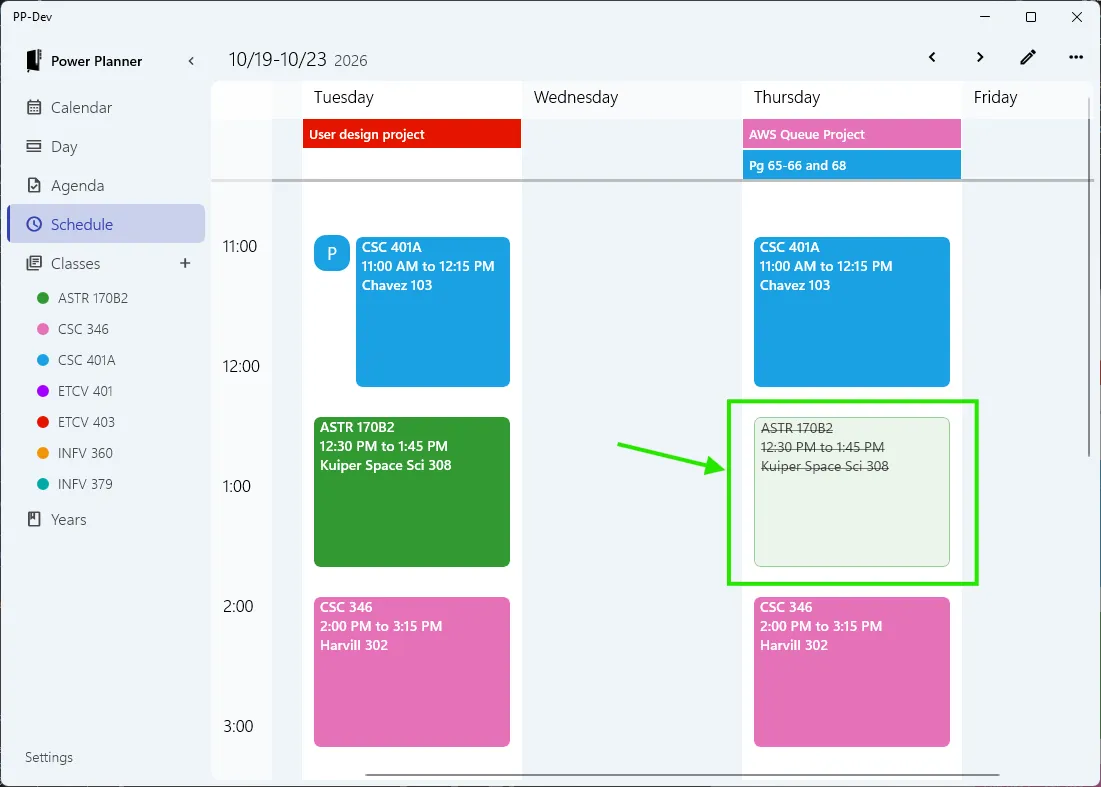
You can cancel a specific instance of a class, for example cancelling ASTR 170B2 class on Thursday Oct 22nd.
This requires version 2610.23 of Power Planner. If you’re not seeing this option, check the App Store for updates!
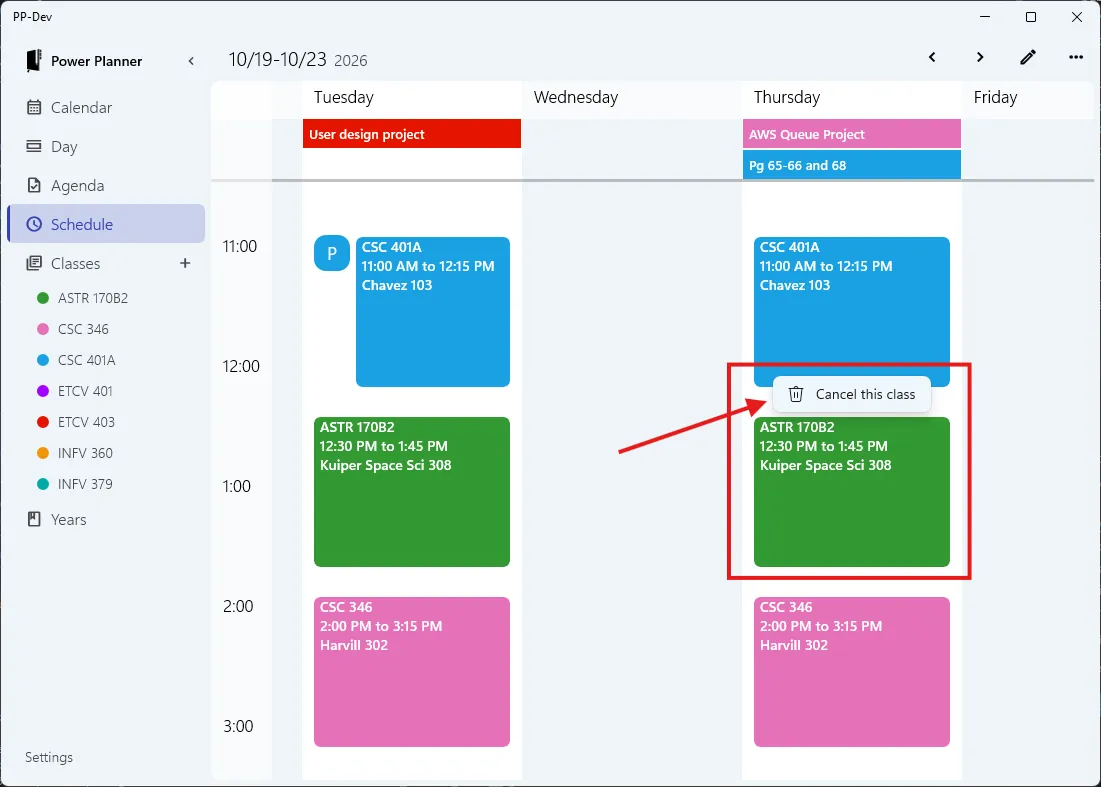
To cancel a class, go to the Schedule or Day view, locate the class time you’re interested in cancelling on the visual schedule, and right click or tap-to-hold the class time entry, and click “Cancel this class”.
After cancelling the class, it will still appear on your schedule, but greyed out and with a strikethrough. You can restore the class by right clicking it again.