Decrease text size on Windows
Many Windows computers come from the factory with the text display size set to a very large setting, meaning you can’t see much content on your screen!
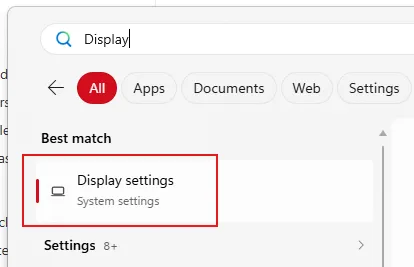
To change the display size of text, apps, and other items, open the Start menu and search for “Change display settings”…
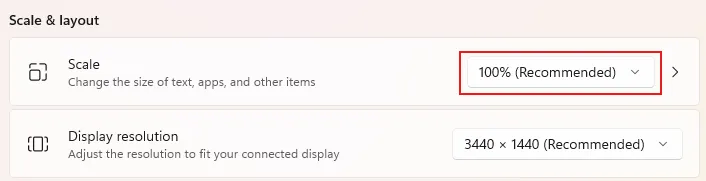
Then, scroll down to the “Scale” setting that says “Change the size of text, apps, and other items”. Try decreasing it by increments of 50%. If it’s currently set at 225%, you might want 175% or 150%.